AI for Interior Designers: Live 2-Hour Masterclass


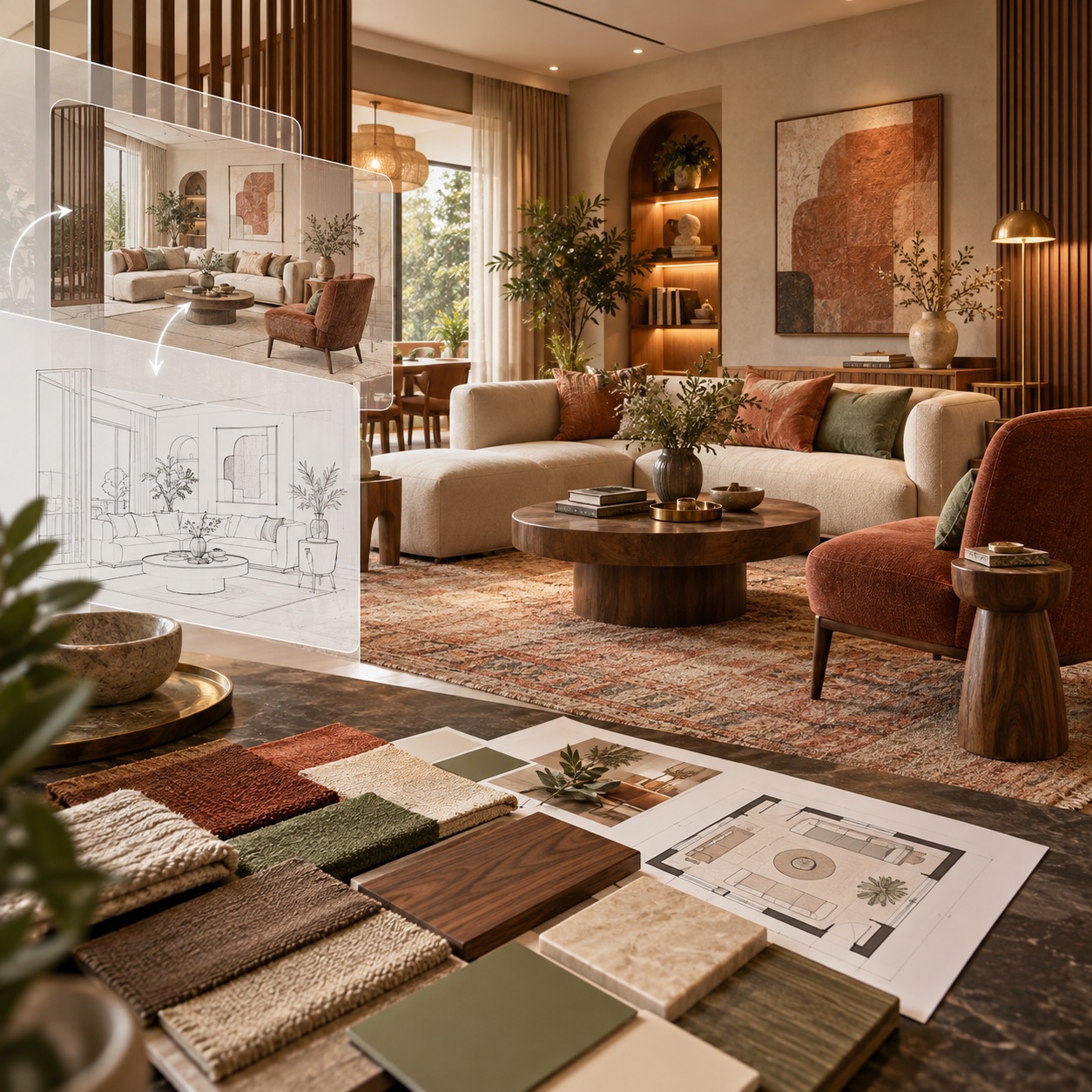
AI for Interior Designers Masterclass
Only 50 seats left at this price.

5 Live Interior Design Workflow Modules
4 Room Render Variations in Minutes
25 Interior Design Prompt Starters
Certificate + 5 Prompt Templates
What will you learn from this MasterClass?
- Write structured 6-element prompts that turn real client briefs into professional interior renders.
- Compare ChatGPT and Claude plans, then use them for FF&E schedules, finish schedules and concept narratives.
- Generate photorealistic room visuals, including finish, lighting-mood and time-of-day variations, in minutes.
- Convert an AutoCAD floor plan into a styled 3D interior render without SketchUp or manual 3D modelling.
MasterClass Highlights

Live AI Workflows for Interior Designers
6-Element Prompt Framework + 25 Starters
Floor Plan to Interior Render Demo
Live Q&A + ASDAV Certificate
Who is this AI Masterclass for?

Interior Design Students:
Build practical AI skills before your first job and strengthen your academic portfolio.

Practising Interior Designers:
Bring AI into daily concept, moodboard, FF&E documentation and client presentation work.

Final-Year Students & Fresh Graduates:
Produce better room renders and design narratives faster for portfolios and interviews.

Solo Practitioners & Freelancers:
Show clients more layout and finish options without adding production time.

Design Studios & Teams:
Upskill a team around one repeatable interior design AI workflow.

AI Beginners & Curious Creatives:
Start confidently even if you tried an AI tool once and felt unsure where to begin.
Learn live through real interior design workflows
Watch each tool applied to real interior design tasks, ask questions in real time, and leave with reusable prompts and workflows.


Tools we teach







HOW ARE WE DIFFERENT?
Why settle for a generic AI webinar?
This is a live working session made for interior designers. You will build usable prompts, room renders and FF&E documentation workflows, not just watch a tool tour.
Interactive Lectures
Some
No
Hands-on Workshops
Yes
No
Real-life Case Studies
Yes
No
Group Discussions and Feedback Sessions
Yes
No
MEET THE HUMANS BEHIND ASDAV
We eat, learn, teach & repeat

Ar. Vijay P.
Architect | BIM Specialist
With 13+ years of experience across industry and academia, Vijay has led large-scale BIM projects like Nine Elms London, FIFA stadiums, and royal residences in Qatar. A CEPT alum and PhD scholar at IIT Roorkee, At ASDAV, he trains students to bridge the gap between practice and education through BIM.
Off duty, he’s a scale model collector and passionate photographer.

Ar. Aditya K.
Architect | Landscape Consultant
Aditya is a SPA Alum - landscape architect passionate about heritage, cultural spaces, and site-driven design. His work explores the sweet spot where history, ecology, and modern thinking meet.
At ASDAV, he helps students sharpen their ideas and design with clarity—encouraging them to question more, explain less.
Outside the classroom, you’ll find him jamming to music, and fuelling great conversations over chai.

Ar. Anuj K.
Architect | Interior Designer
Anuj is an architect with 5+ years of experience in residential, commercial interior design. As the Proprietor and Principal Designer of Base MUSC, he focuses on creating functional, well-planned spaces that balance aesthetics with everyday practicality.
At Base MUSC, he brings a thoughtful, detail-driven approach, ensuring each design meaningfully supports how people live and work.
When he’s not managing projects, he’s usually folding origami, exploring new trails, or going for a run to reset and recharge.

Ar. Shubham K
Architect | Sustainable Materials Advocate
Shubham is an architect with 5+ years of experience in architecture, product design, and brand strategy. He specialises in sustainable materials like bamboo, blending design with usability and commercial impact. At ASDAV, he brings sharp focus to execution, material thinking, and real-world design clarity.
When not designing, he’s usually trekking high-altitude trails or playing fetch with his dog.

Ar. Jasmine A
Architect | Global Vastu Consultant
Jasmine is an architect and global Vastu consultant with 8+ years of experience across design and teaching, including international work in architecture and interiors. Her approach blends architectural thinking, human-centered interiors, and practical Vastu.
At ASDAV, she leads with clarity, encouraging learners to design purposefully, and build meaningful careers with confidence.
When not mentoring students, she’s either bonding with dogs or finally finishing her first cup of coffee for the day.

Ar. Hitesh K
Furniture Designer | Interior Educator
Hitesh is a furniture and interior design professional with expertise in material-driven design, detailing, and production thinking. An NID graduate, he blends design craft with real-world execution.At ASDAV, he leads sessions on furniture design, spatial planning, and design software—helping students bridge ideas with execution through clarity, craft, and process.
When not teaching or designing, he’s deep into furniture case studies—or quietly redesigning the everyday.

Ar. Anushruti S
Landscape Architect | Urban Design Educator
Anushruti is a landscape architect with experience across real estate, urban infrastructure, and environmental design projects in India and Europe. At ASDAV, she helps students make sense of landscape and urban systems—focusing on critical thinking, environmental sensitivity, and scale-based design clarity.
When not mapping or mentoring, she’s out exploring green corners of the city and how people interact with them.

Ar. Meher T
Architect | Design + Construction Specialist
Meher is an architect with over 10 years of experience focused on the intersection of design vision and buildability. Her strength lies in translating conceptual ideas into precise construction drawings.
At ASDAV, she brings a practical lens to design education, helping students understand how ideas become structures.
Outside the studio, she’s obsessed with Travel and her harmonium.

Ar. Rayan M
Interior Architect | Global Design Consultant
Rayan is an interior architect with 9+ years of international experience across residential, commercial, and hospitality projects in the UAE, Italy, and Southeast Asia.
At ASDAV, he guides students through design detailing, spatial logic, and project workflows.
When he’s not teaching, you’ll find him exploring city backstreets, or hunting down the best De-cafe in town.
What You Will Gain Through This MasterClass: AI for Interior Designers

Professional Prompting System:
Use a repeatable six-part framework covering subject, style, materials, lighting, camera and quality on every room brief.

Client-Ready Renders, Faster:
Generate photorealistic room visuals from a client brief and moodboard in minutes.

Smarter Design Documentation:
Draft FF&E schedules, finish schedules and procurement notes, then check dimensions, prices and availability yourself.

Floor Plan to 3D Workflow:
Turn a prepared AutoCAD plan into a furnished interior render without SketchUp or manual modelling.

Rapid Finish & Styling Variations:
Swap finishes, flooring, furniture, lighting mood and time of day while keeping the room composition consistent.

Your Personal AI Toolkit:
Leave with prompt templates, a 25-prompt starter kit, a setup guide and a next-step plan for your own client work.
Join the Next Live AI Masterclass for Interior Designers
Move from blank prompts to client-ready moodboards, room renders and schedules in one focused session. Includes a full-course preview and a ₹1,000 discount toward the 10-Day AI Visualization Full Course; redemption details are shared during the session. Studios booking 3+ seats can enquire for team pricing.
- Live with Ar. Jasmine Ahluwalia
- 5 interior-focused AI workflow modules
- Prompting, FF&E schedules, renders + plan demo
- Tool setup guide + WhatsApp community
- Certificate, printable prompt card, 5 templates + 25-prompt kit


Earn Your ASDAV Certificate of Participation
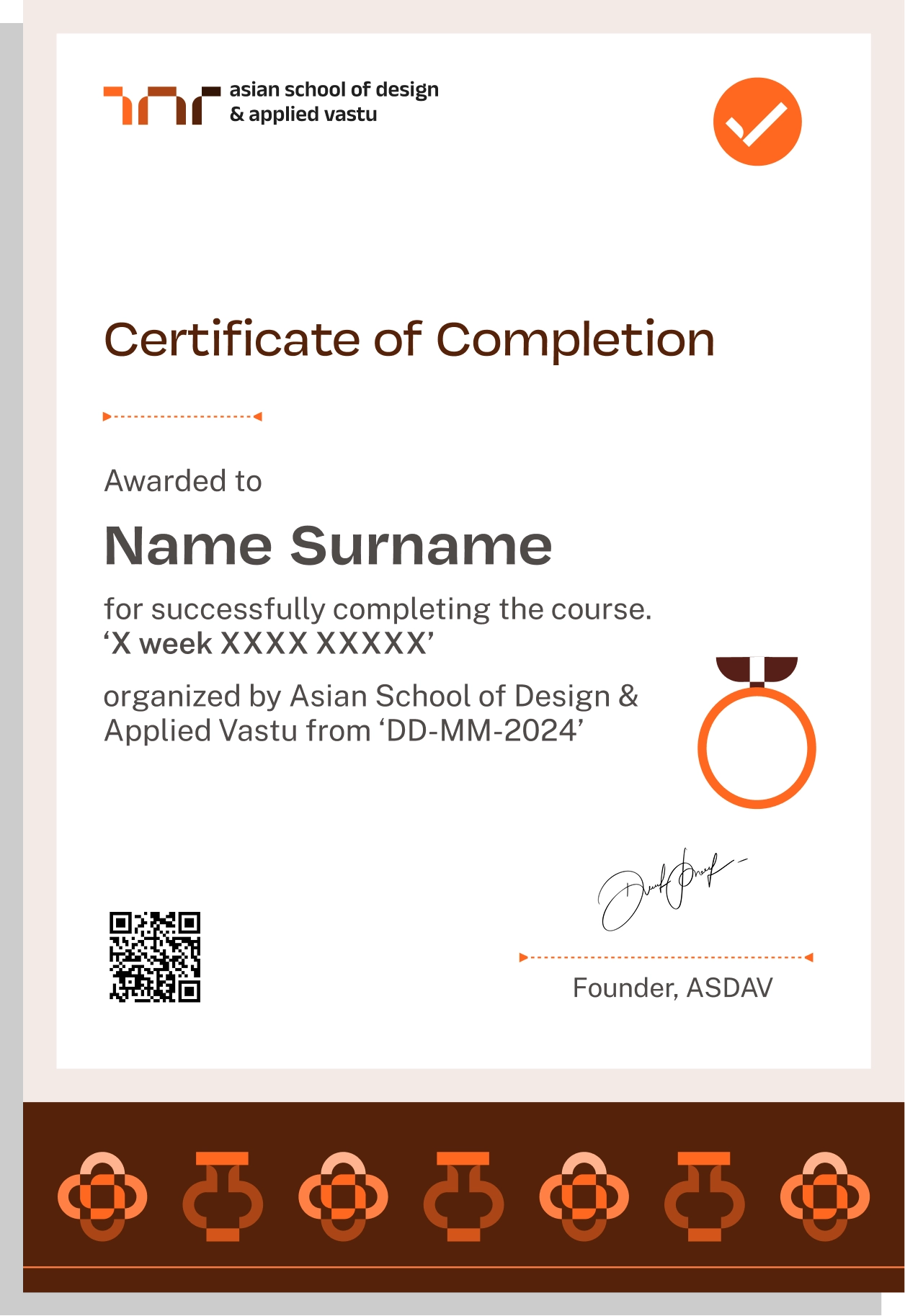
Receive an ASDAV Certificate of Participation after completing the live masterclass.
Easily sharable PDF document on LinkedIn, portfolio, resume or CV.


TAUGHT BY INSTRUCTORS FROM












ALUMNI GROWTH STORIES
Where our learners grow, lead & succeed






TESTIMONIALS
Your love inspires us, every minute. Inspirational Words Shared by Our Members
ASDAV's classes have empowered countless students to bridge theoretical knowledge with practical industry application.
Our community of passionate learners, where exploration knows no bounds.
Shavi Gupta


I am a practicing interior designer and when I got to know about their Vastu course, I immediately enrolled myself in it. They taught me practical Vastu and gave me several case studies to practice. I 100% recommend ASDAV’s Vastu course to everyone in the field.
Himanshi Rawat

Even though I studied design, I wasn’t confident with real interior designing tasks. At ASDAV, the trainers explained everything step by step. I built a complete portfolio with detailed floor plan, 3D views, and material palette. That portfolio helped me get my first interview.
Nikkita Bisht


I joined ASDAV’s masterclass because I wanted to design something that was accessible for everyone. The class taught me ramp gradient, turning radius, door clearance, and accessible bathrooms. I applied this to a community center project, and my client appreciated me a lot.
Aekeshwar Saxena

In practice, we are expected to design fast and think clearly, but college never really prepared me for that. ASDAV’s session helped me sharpen my decision making from site analysis to layout logic. It’s one of the few platforms that really understand how real-world architects work.
Jai Singh


Taking classes in ASDAV for Vastu has been a great experience. It wasn’t just about tradition, it’s about how spaces feel, how they function, how they can affect us. Even being a student in London, it has added a lot more depth to my approach.
NEED SOME HELP?
Here are some frequently asked questions
What will I learn in the AI for Interior Designers Masterclass?


The live session follows five modules:
- Prompting: the six-element framework using ChatGPT, Claude, Gemini and Midjourney
- AI Text Tools for Design Work: concept narratives, FF&E schedules, finish schedules, procurement questions and specifications
- AI 3D Render Generation: room visuals, lighting moods, time-of-day options and finish swaps
- Floor Plan to Render & Construction AI: CAD preparation, ArchiVinci, furniture layouts and finish schedules
- Your AI System: prompt library, action plan, Q&A and full-course preview. Every module is taught through interior design demonstrations.

Is this a theory class or a practical working session?
It is a live, practical session. Each module includes a demonstration using real interior design tasks, from client brief to room render, so you can see the full workflow from input to usable output.
What take-home resources are included?
During this AI masterclass for interior designers, you receive live tool demonstrations, a printable six-element prompt-framework reference card, five ready-to-use prompt templates, the ASDAV AI Prompt Starter Kit with 25 curated interior design prompts, and instructor Q&A.
After the session you receive an ASDAV Certificate of Participation, a tool setup guide, WhatsApp community access, a full-course preview, and a ₹1,000 discount toward the 10-Day AI Visualization Full Course. The redemption details are shared during the session. Recordings are considered case by case and are not guaranteed.
Is this only about interior design, or does it cover architecture too?
This AI short course is for Interior design only. Examples focus on rooms, furniture, finishes, lighting, moodboards, FF&E schedules and client presentations, not site planning, facade design or architectural approvals.
Can I apply these workflows immediately after the class?
Yes. The final module helps you organise a personal prompt library and gives you a practical action plan for the same evening, the following week and the next month.
Which AI tools are demonstrated?
The syllabus for this AI interior design masterclass includes ChatGPT, Claude, Gemini, Midjourney and ArchiVinci. The focus is on choosing the right tool for each interior task, from concept narrative to room render, rather than using one tool for everything.
Do I need paid subscriptions for every tool?
No. The session compares ChatGPT and Claude free and paid plans, their limits and the tasks each suits, so you can decide when a paid plan is worth it. Some advanced image-generation features may need a paid plan. Tool pricing can change, so we check the current options live in the session before you commit to anything.
Do I need previous AI experience?
No. The session starts with the fundamentals of writing a strong interior design prompt and is suitable for beginners as well as practising designers.
What device or software do I need?
A laptop or desktop computer with a stable internet connection is recommended. No SketchUp or manual 3D-modelling experience is required for the floor-plan-to-render demonstration.
What registration options are available?
Seats are sold individually at the price shown on this page. Firms, colleges and studios booking three or more seats can enquire via ASDAV WhatsApp for team pricing. The ₹1,000 full-course discount is a separate post-session benefit; redemption details are shared during the masterclass.
How does the prompt framework improve interior renders?
It structures every prompt around six elements (subject, style, materials, lighting, camera and quality) so the render matches your client’s room and taste instead of looking generic.
Can AI help create FF&E and finish schedules?
Yes. The class demonstrates how to draft FF&E schedules, finish schedules, procurement questions and concept narratives from a short client brief, followed by the checks you should apply before anything is ordered.
Can an AutoCAD floor plan become a 3D interior render?
Yes. You will see how to prepare a CAD drawing for AI input and turn it into two interior render styles without building a manual 3D model.
Will I learn finish swaps and styling variations?
Yes. The render module demonstrates how to change finishes, flooring, furniture, lighting mood and time of day while keeping the room composition consistent.
Are the examples relevant to Indian projects?
Yes. The demonstrations use Indian residential and commercial interiors, including locally familiar materials, furniture and finish vocabulary.
Is the AI interior design masterclass live or pre-recorded?
This is a live online working session with real-time demonstrations and Q&A. The date is currently to be announced; enrolled participants will receive the confirmed schedule by email and WhatsApp. If you cannot attend live, contact ASDAV before the session. A recording may be considered case by case, subject to availability and permissions, and is not guaranteed.
How long is the masterclass?
The session runs for two hours and includes five focused modules, live demonstrations and a short break.
Will I receive a certificate?
Yes. Participants receive an ASDAV Certificate of Participation after completing the masterclass.
Can I ask questions during the session?
Yes. Questions are welcomed during the live demonstrations, and the session closes with a dedicated Q&A.
Is community support included?
Yes. Participants receive access to the relevant ASDAV WhatsApp community for updates and continued learning support.
Will AI replace the role of an interior designer?
No. The masterclass treats AI as an assistant for exploration, visualisation and first drafts. Taste, scale, buildability, client relationships and professional responsibility remain with the designer.
Do I have to be a qualified interior designer to attend?
No. The class is open to interior design students, fresh graduates, practising designers, freelancers, studios and serious beginners.
How should I handle confidential client information?
Use non-confidential or approved project material during practice. Never upload restricted drawings, photos of a client’s home, personal data or client files to an AI platform without permission and a review of its terms.
Are AI-generated FF&E schedules and specifications automatically accurate?
No. AI output must be checked against drawings, site measurements, supplier availability, prices, safety requirements and the client brief. The class explains what needs your review before anything is ordered.
What if the tools or interfaces change later?
The course is built around transferable workflows and decision-making principles. The prompt framework and review process remain useful even as individual tools evolve.